1. Connection Setup
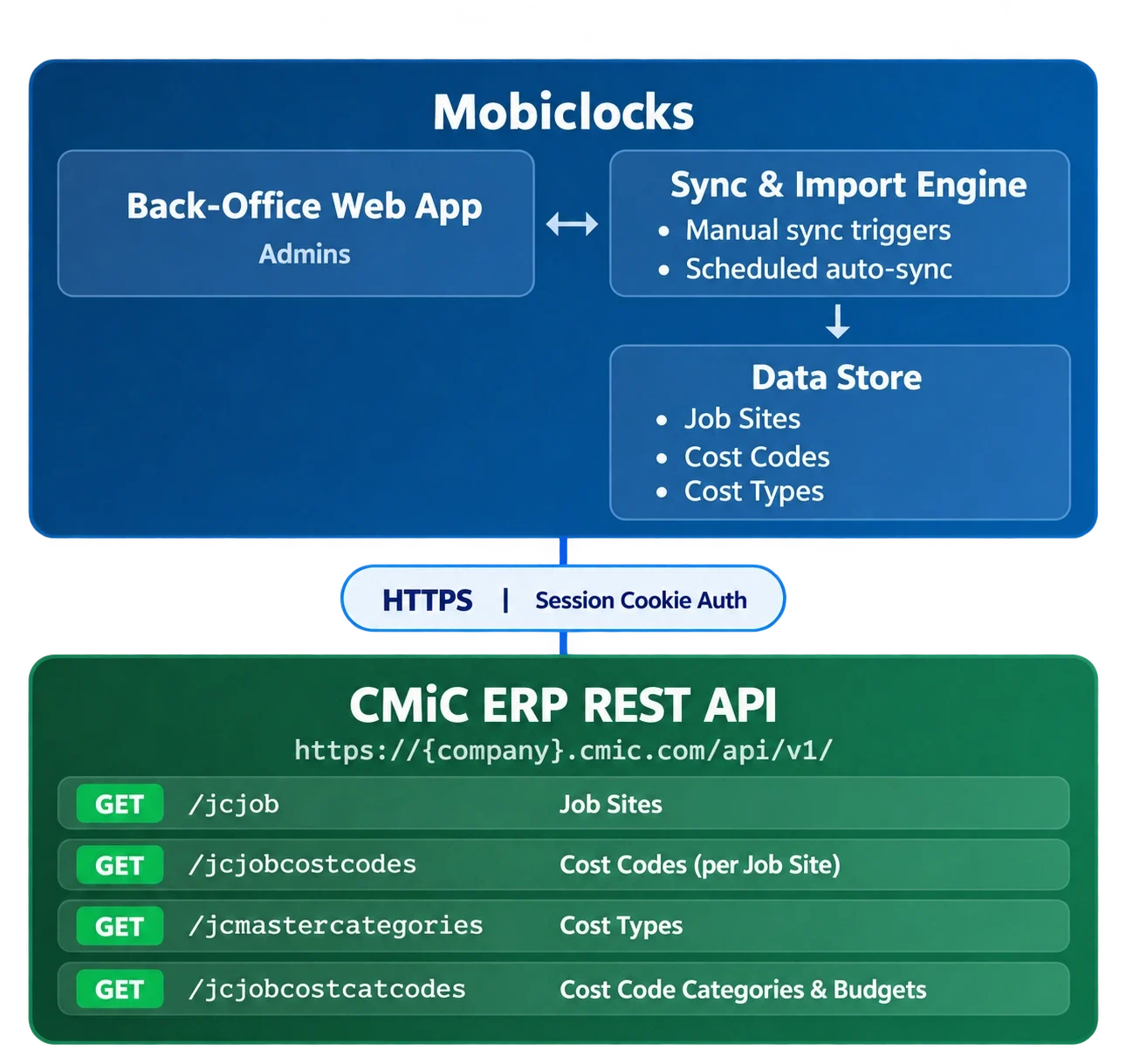
An administrator enters CMiC API credentials (host, username, password) in MobiClocks. MobiClocks authenticates with CMiC using Basic Auth and stores the session token for all future requests. Sessions are automatically refreshed when they expire.
2. Data Sync from CMiC
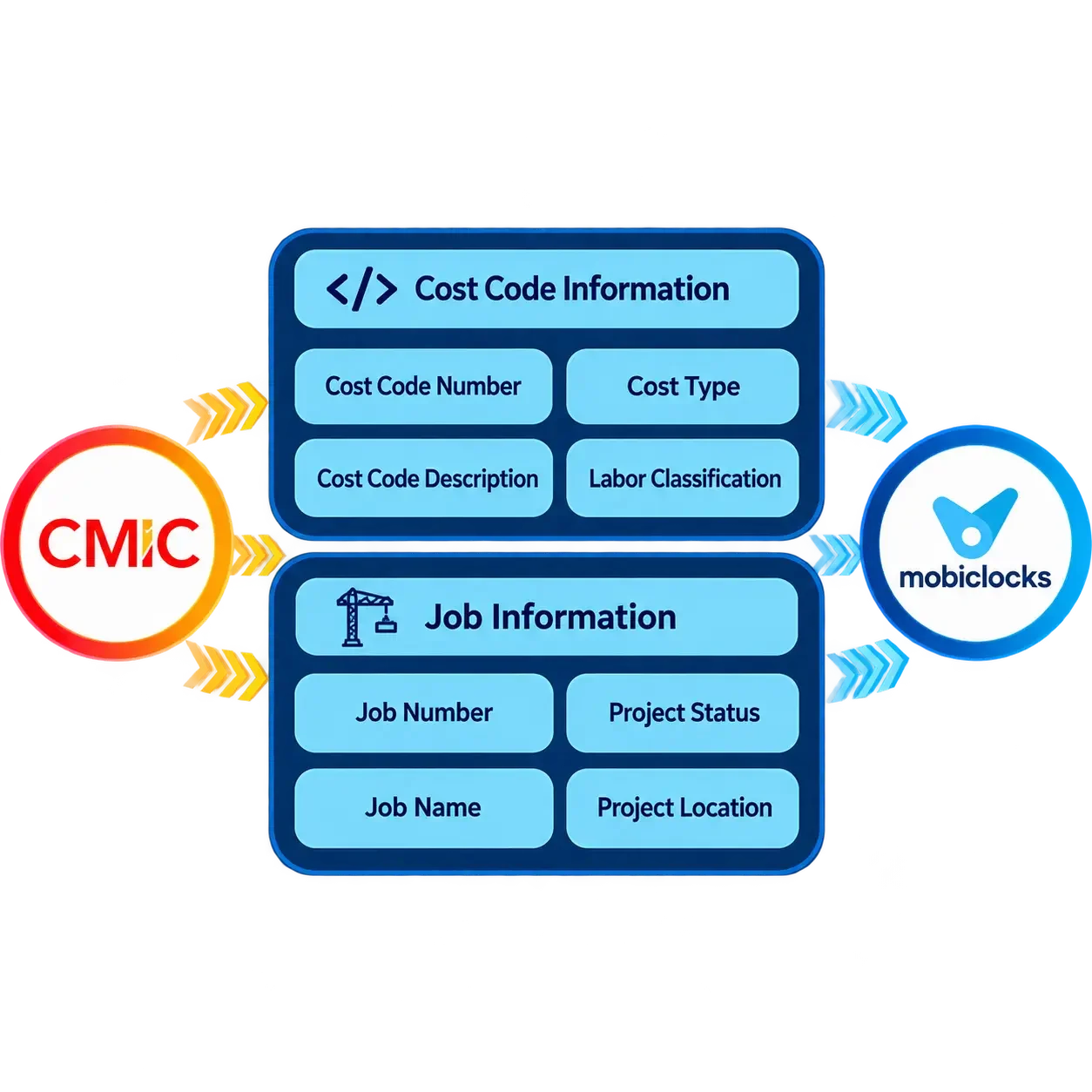
MobiCIocks pulls project data from CMiC across three categories: Job Sites (active projects), Cost Codes (attached to each job), and Cost Types (master categories such as Labor and Subcontractor).
3. Selective Import into MobiCIocks
Administrators browse the synced data and selectively import Job Sites and Cost Codes into MobiCIocks. Only imported data is visible to field workers for time entry.
4. Ongoing Sync
MobiCIocks keeps data current via scheduled auto-sync (configurable interval) and on-demand manual sync triggered by an administrator.
5. Archive Management
Inactive job sites and cost codes can be archived in MobiClocks without deletion, preserving historical time entry records.